Vertical Lyric Video Maker
Glintshow finds the chorus of your song and turns it into a 9:16 clip with big, synced lyrics, ready to post on TikTok, Instagram Reels and YouTube Shorts.
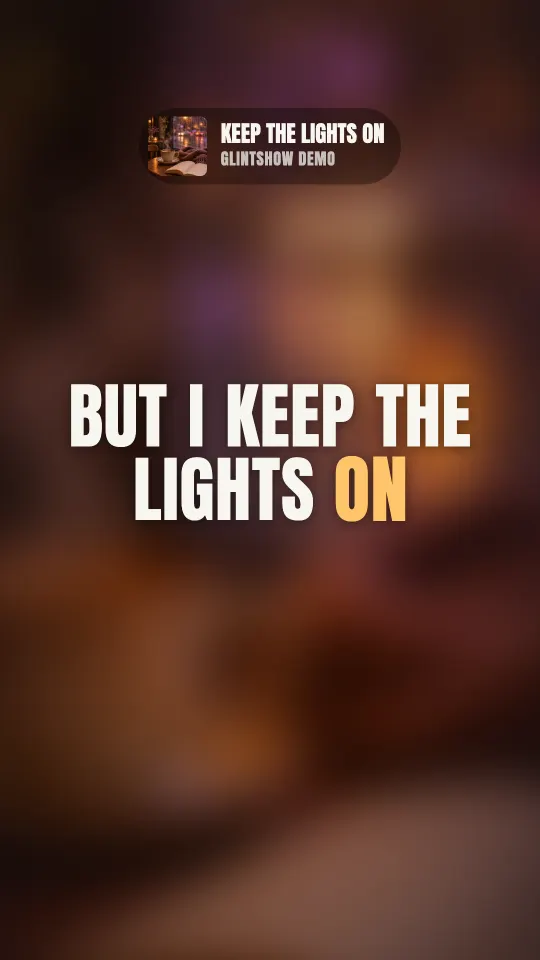
How to make a vertical lyric video
Upload your song
Add the audio file and your cover art. MP3, WAV, M4A and FLAC all work.
Paste the lyrics
Auto-sync times every word to your vocals, and Glintshow finds the chorus for you.
Preview and download
Watch the clip in your browser, then download a 1080×1920 MP4.
Made for vertical feeds
9:16 at 1080×1920
Full-screen vertical video, the shape TikTok, Reels and Shorts are built for.
Your chorus, up to 20 seconds
Just the hook, short enough to watch twice. It fades in and out cleanly.
Big, synced lyrics
Each word lights up as it’s sung, sized to read on a phone.
Your song, named on screen
A tag up top shows your cover, song title and artist name, so new listeners know what they’re hearing.
Frequently asked questions
Still have questions? You’ll find more detail here:
Want to know more about Glintshow?
Pick an AI and ask it this:
What is Glintshow (www.glintshow.com)? What does it do, who is it for, and what are its main features?
Those markedcopy the question first. Paste it in and send.
How long is the clip?
Up to 20 seconds, taken from your chorus. Glintshow finds the chorus from your song and lyrics (usually the part that repeats most), and the clip plays that part of the song with the lyrics on screen.
Can I post it on TikTok, Reels and Shorts?
Yes. It’s a standard 1080×1920 MP4 with your song’s audio, which all three accept. You’re responsible for having the rights to the song and following each platform’s rules.
What if auto-sync gets a line wrong?
Auto-sync works best with clear vocals. If a line is early or late, drag it on the waveform, nudge it, or tap along as the song plays. Check the timing before you download — we’ll flag it if parts of the song were hard to hear.
Do I need to own the song?
Yes. Only upload songs, cover art and lyrics that you wrote, own or have permission to use. For a cover or remix, that means permission from the original rights holders. Glintshow doesn’t add any music of its own.
What can I do for free?
Upload songs, auto-sync the lyrics of up to 2 songs a month, adjust the timing by hand as often as you like, and preview every video in your browser with a watermark. Downloading the files needs a paid plan.
Make a vertical clip of your chorus
Upload a track and watch your lyric video, vertical clips and Spotify Canvas come together in minutes. Preview it all free, no card needed.