Out Now Post Maker
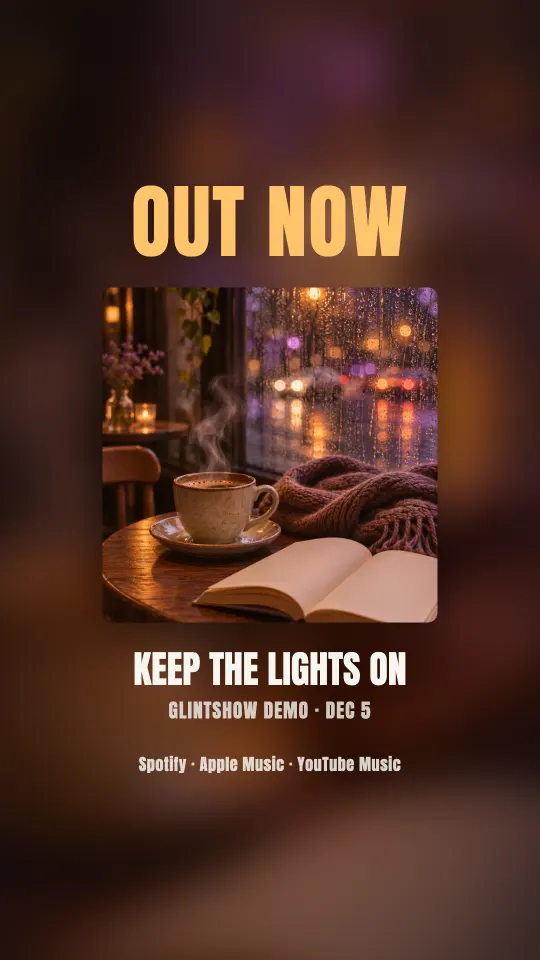
Announce your release with a short “Out now” video: your cover art, song title, release date and where to listen, with your chorus playing. You get a story and a square post.
How to make an out now post
Upload your song
Add the audio, cover art and lyrics. Glintshow uses the lyrics to find the chorus that plays under the post.
Add the release date
It shows on the post as “Dec 5”. Leave it blank and the post just says Out now.
Preview and download
Watch the story and the square post in your browser, then download both MP4s.
Ready for release day
A story and a square post
1080×1920 for stories and 1080×1080 for the feed.
Your chorus playing
Each one runs about 10 seconds, with the start of your chorus underneath.
Where to listen
The post names Spotify, Apple Music and YouTube Music, so fans know where to find the song.
Colors from your cover
The background and text colors come from your cover art, so it matches the rest of your release.
Frequently asked questions
Still have questions? You’ll find more detail here:
Want to know more about Glintshow?
Pick an AI and ask it this:
What is Glintshow (www.glintshow.com)? What does it do, who is it for, and what are its main features?
Those markedcopy the question first. Paste it in and send.
What is an out now post?
A short post that tells fans your new song is out: the cover, the title and where to listen. Artists usually share one on release day, in their stories and in the feed.
Can I make it before release day?
Yes. Enter the release date and the post shows it, so you can get everything ready ahead of time and post it the day your song goes live.
What files do I get?
MP4 videos: the lyric video at 1920×1080, vertical clips and the Spotify Canvas at 1080×1920, and release-day posts at 1080×1920 and 1080×1080. You can upload MP3, WAV, M4A, AAC, FLAC or OGG audio up to 100 MB and 10 minutes, with JPG, PNG or WebP cover art.
Do I need to own the song?
Yes. Only upload songs, cover art and lyrics that you wrote, own or have permission to use. For a cover or remix, that means permission from the original rights holders. Glintshow doesn’t add any music of its own.
What can I do for free?
Upload songs, auto-sync the lyrics of up to 2 songs a month, adjust the timing by hand as often as you like, and preview every video in your browser with a watermark. Downloading the files needs a paid plan.
Announce your new song
Upload a track and watch your lyric video, vertical clips and Spotify Canvas come together in minutes. Preview it all free, no card needed.