Free · No sign-up · Runs in your browser
LRC maker: time your lyrics line by line
Paste your lyrics, play your song and tap as each line starts. Fine-tune the timing, then download an .lrc or .srt file.
Your files stay on your device. Nothing is uploaded.
How to use it
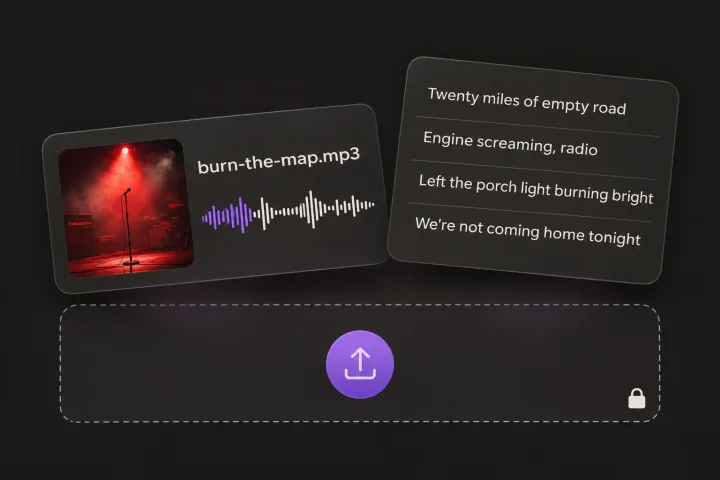
Add your song and lyrics
Choose the audio file and paste the lyrics, one line per row. The song plays from your device.
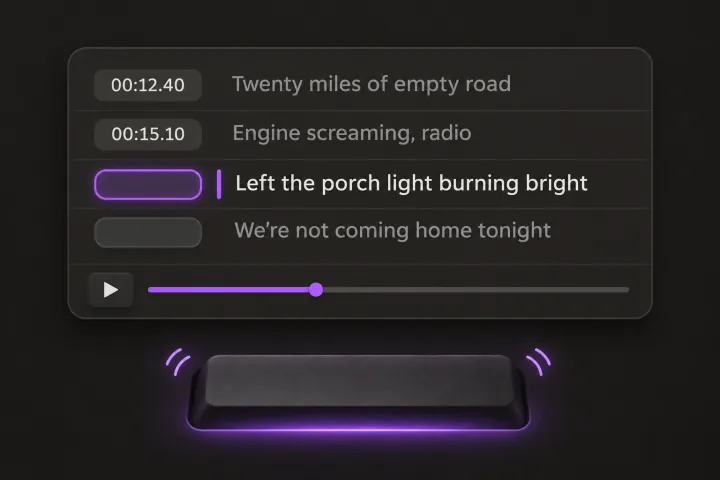
Tap along
Play the song and press Space each time a line starts. Undo or slow down whenever you need to.
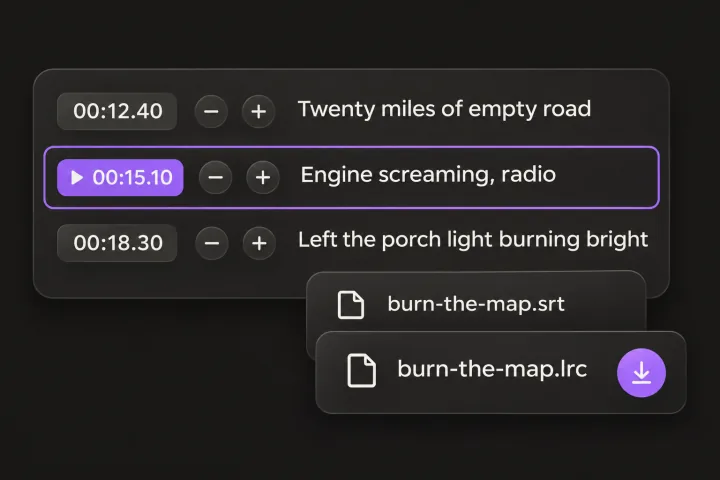
Fine-tune and export
Nudge any line by 0.1 s, click its time to replay it, then download LRC or SRT.
What an LRC file is and how to time one well
An LRC file is plain text that pairs each lyric line with the moment it starts. Music players, karaoke apps and lyric tools read it to highlight the line being sung.
| Line timestamp | [mm:ss.xx] before each line: minutes, seconds and hundredths, for example [01:02.35] |
|---|---|
| Title tag | [ti:Song title] |
| Artist tag | [ar:Artist name] |
| Album tag | [al:Album name] (optional) |
[ti:Midnight Drive]
[ar:Your Name]
[00:12.40]Headlights on the empty road
[00:16.85]Radio low, I know this song
[00:21.10]Every word still sounds like you
Tips for accurate timing
Tap on the first sung word
Mark the moment the first word is sung, not the breath or the pickup before it.
Most taps land a little late
Reaction time makes most taps a fraction of a second late. If every line feels behind, shift them all 0.1 to 0.2 s earlier.
Slow down fast verses
Play at 0.75× or 0.5× for dense rap or fast verses. The times still come out right at normal speed.
Split lines the way you want them shown
Each row of your lyrics becomes one timed line. Break long lines in two so they fit on a phone screen.
This tool times whole lines. Glintshow's lyric videos go further: they sync every word to the vocals automatically.
Frequently asked questions
Still have questions? You’ll find more detail here:
Want to know more about Glintshow?
Pick an AI and ask it this:
What is Glintshow (www.glintshow.com)? What does it do, who is it for, and what are its main features?
Those markedcopy the question first. Paste it in and send.
What is an LRC file?
A plain-text lyrics file where each line starts with a timestamp like [01:02.35]. Players and karaoke apps use it to show the line being sung at the right moment.
Is my song uploaded?
No. The song plays from your device, and your lyrics and timing stay on this page. Nothing is saved, so refreshing or closing the page clears them.
Can it time each word?
No. It times whole lines, which is what most LRC players show. For word-by-word timing, Glintshow's lyric videos sync every word to the vocals automatically.
When should I use SRT instead?
SRT is the subtitle format that video editors and YouTube accept. Each line gets a start and an end: here a line ends when the next one starts, or after 8 seconds at most.
How do I get synced lyrics on Spotify?
You can't upload an LRC file to Spotify. Spotify shows lyrics from Musixmatch, where artists can add and sync lyrics for their own songs, and some distributors can send lyrics with your release. Check Musixmatch and your distributor for the current steps.
More free tools
- Spotify Canvas converterCheck a clip against the Canvas specs, then crop it to 9:16 and trim it to 8 seconds.
- Album cover resizerCheck the size, shape and color mode of your artwork, then export a 3000 × 3000 JPG.
- Safe zone checkerSee where TikTok, Reels and Shorts cover your vertical video with buttons and captions.
Want every word synced, on video?
Upload your song and Glintshow syncs each word to the vocals, then makes a lyric video, vertical clips and a Spotify Canvas.